AI Prompts
Add on Google12 ChatGPT and Gemini Prompts for a Professional Headshot (Copy and Paste)
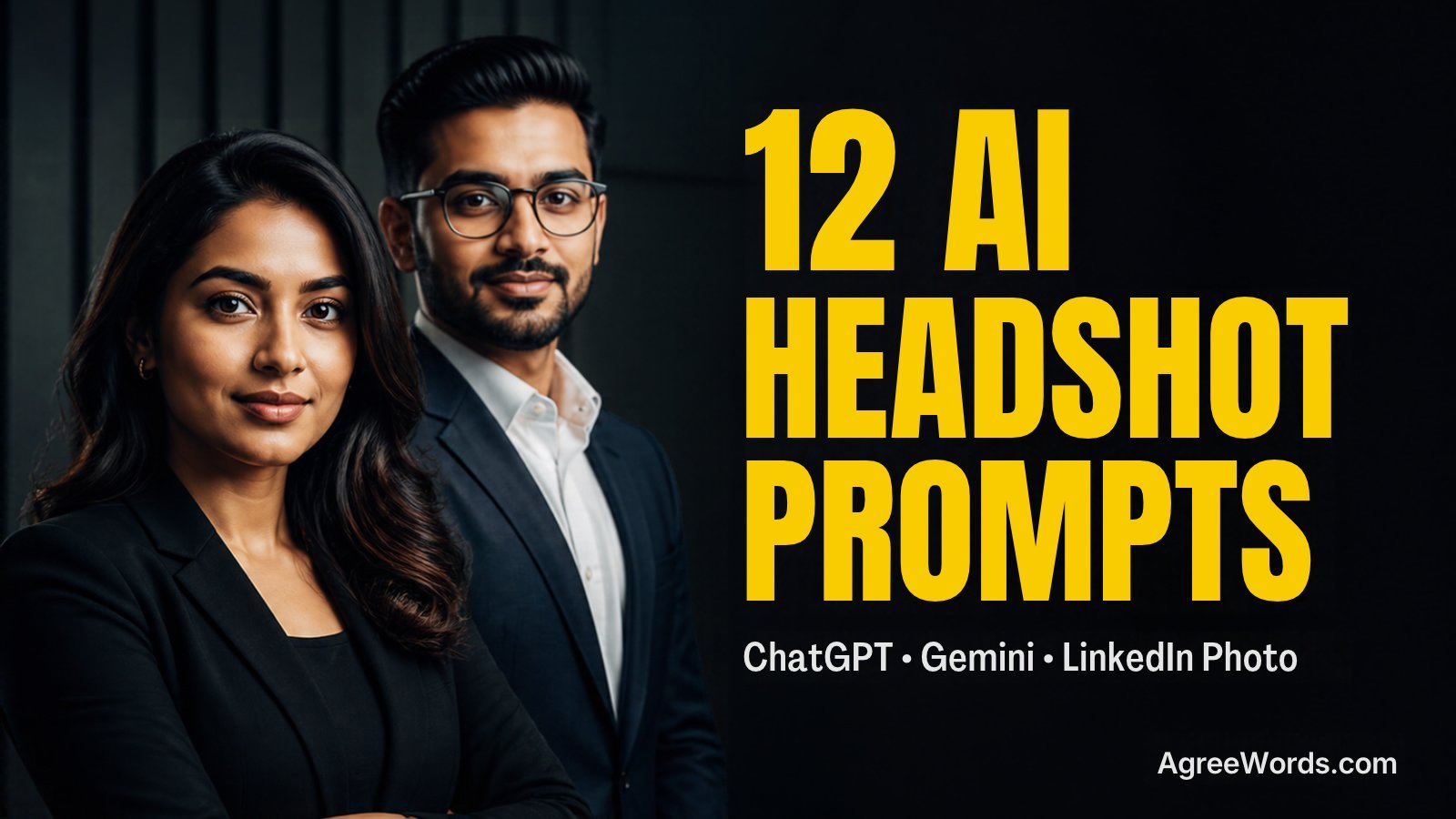
12 original ChatGPT and Gemini prompts for a professional headshot and LinkedIn photo, grouped by role, with a face lock line so you still look like you.

Want a LinkedIn photo that looks like a real photographer took it, not a stiff, overly smooth AI face? Use any chatgpt prompt for professional headshot below, or the matching Gemini version, upload your own photo, and you get a detailed studio or office scene instead of a vague “make me look professional” result.
Most people type something short like “give me a corporate headshot” and get back a plastic looking face that barely passes as them in a video call. The fix is a longer, specific prompt that locks your face and spells out the outfit, light, background and camera look, which is exactly what every prompt below does.
How These Professional Headshot Prompts Work
Every prompt here is written for the free versions of Gemini (the Nano Banana image model) and ChatGPT Images, the two apps most readers already have. Each one tells the app to use your uploaded photo, keeps a “face lock” line so your face does not get redrawn, then describes the outfit, background, light and camera feel in plain words. There are no Midjourney style codes like –ar or –v, since the free apps do not support them.
We did not personally test every prompt below on every phone, since results change with your photo, lighting and the app version you have. One thing to know before you start: both apps limit how many images you can generate free each day, and that number has changed more than once in 2026 as demand changed. Check the limit shown inside your own Gemini or ChatGPT app before a big batch, rather than trust any fixed number you read online.
Corporate and Executive Headshot Prompts
These three cover the plain “edit my selfie into a work photo” look that LinkedIn users started posting widely after the AI headshot trend spread from TikTok in 2023, and that is still common on LinkedIn today.
Corporate Blazer Headshot Trend Prompt
This is the prompt behind most of the navy blazer, blurred office LinkedIn photos you see right now. Guides for Gemini and ChatGPT keep repeating this same formula because recruiters are used to seeing it, so it reads as safe and standard.
Use my uploaded photo.
FACE LOCK: keep my face, eyes, nose, lips, skin tone, hairline and body shape exactly the same, do not beautify or change my identity, the result must still clearly look like me.
Subject: me from the shoulders up, wearing a well fitted navy blazer over a white or light blue collared shirt, shoulders square to the camera, warm confident smile.
Place and background: a softly blurred modern office, muted grey or soft blue tone, no visible desks or screens.
Light: soft, even studio style lighting with no harsh shadow on the face.
Camera and lens feel: 85mm portrait lens look, head and shoulders framing, shallow depth of field.
Colours and mood: neutral navy, grey and skin tones, confident and approachable mood.
Aspect ratio: square 1:1.
Quality: sharp focus on my eyes and face, realistic skin and fabric texture, natural hands if visible, no extra fingers.
Avoid: changing my face or making me look like a different person, extra or missing fingers, distorted hands, blurry eyes, plastic skin, cartoon look unless asked, text, logos, watermark, extra people, cut off head.
Works in: Gemini (Nano Banana) and ChatGPT Images.
- Variation 1: swap the navy blazer for a charcoal grey one if you already wear that colour most.
- Variation 2: change the background to a softly blurred bookshelf for a warmer, less corporate feel.
Matching caption: “Same face, better lighting, still haven’t written a bio that sounds like a real person.”
Executive CEO Portrait Trend Prompt
Several AI headshot guides now run a separate “founder to CEO” style prompt, built for a leadership or about page photo rather than a plain LinkedIn square, with darker tones and a more serious expression.
Use my uploaded photo.
FACE LOCK: keep my face, eyes, nose, lips, skin tone, hairline and body shape exactly the same, do not beautify or change my identity, the result must still clearly look like me.
Subject: me in a tailored dark suit with no tie, arms relaxed, calm and steady expression, chin slightly level, looking straight at the camera.
Place and background: a dim, softly blurred corporate lobby or glass office wall, dark tones.
Light: low key studio lighting, soft light on the face, deeper shadows around the edges of the frame.
Camera and lens feel: 85mm lens look, close medium shot, shallow depth of field.
Colours and mood: charcoal, black and warm skin tones, authoritative and calm mood.
Aspect ratio: portrait 4:5.
Quality: sharp focus on my eyes, realistic suit fabric texture, natural hands if visible, no extra fingers.
Avoid: changing my face, extra or missing fingers, distorted hands, blurry eyes, plastic skin, cartoon look unless asked, text, logos, watermark, extra people, cut off head.
Works in: Gemini (Nano Banana) and ChatGPT Images.
- Variation 1: add a plain white shirt instead of no tie, for a slightly less formal version.
- Variation 2: change the background to a city skyline window view, softly blurred.
Matching caption: “Dressed like the decisions are big, acting like the coffee machine is the real boss.”
Studio Grey Background Headshot Trend Prompt
A plain grey or white backdrop is the most repeated background choice across professional headshot prompt guides, since it keeps attention on the face and matches what in person studio photographers already shoot.
Use my uploaded photo.
FACE LOCK: keep my face, eyes, nose, lips, skin tone, hairline and body shape exactly the same, do not beautify or change my identity, the result must still clearly look like me.
Subject: me from the shoulders up in smart business casual clothing, relaxed shoulders, natural warm expression.
Place and background: a plain, seamless light grey studio backdrop, no objects or texture.
Light: classic three point studio portrait lighting, soft fill light, gentle shadow for depth.
Camera and lens feel: 85mm portrait lens look, close shot, shallow depth of field.
Colours and mood: neutral grey and natural skin tones, clean and professional mood.
Aspect ratio: square 1:1.
Quality: sharp focus on my eyes, realistic skin texture with visible natural detail, no extra fingers.
Avoid: changing my face, extra or missing fingers, distorted hands, blurry eyes, plastic skin, cartoon look unless asked, text, logos, watermark, extra people, cut off head.
Works in: Gemini (Nano Banana) and ChatGPT Images.
- Variation 1: change the backdrop to plain white instead of grey for a brighter result.
- Variation 2: add a very slight head tilt for a less stiff, more natural pose.
Matching caption: “Studio quality photo, home sofa quality effort, nobody needs to know the difference.”
Startup, Remote and Creative Headshot Prompts
These three move away from the blazer look, since founders, remote workers and creative professionals are the group most guides say now prefer a relaxed, approachable photo over a strict formal one.
Startup Founder Casual Headshot Trend Prompt
Prompt roundups for founders now skip the blazer on purpose and ask for a plain crew neck or quarter zip instead, built around a confident but approachable “visionary” look rather than a corporate one.
Use my uploaded photo.
FACE LOCK: keep my face, eyes, nose, lips, skin tone, hairline and body shape exactly the same, do not beautify or change my identity, the result must still clearly look like me.
Subject: me wearing a plain dark quarter zip sweater or crew neck t-shirt, arms crossed loosely or one hand in pocket, confident and approachable expression.
Place and background: a bright, softly blurred modern office or co-working space, plants or a whiteboard barely visible in the background.
Light: bright natural daylight from a large window, soft and even.
Camera and lens feel: 50mm lens look, medium shot, shallow depth of field.
Colours and mood: warm neutral tones, confident and energetic mood.
Aspect ratio: portrait 4:5.
Quality: sharp focus on my face, realistic fabric texture, natural hands, no extra fingers.
Avoid: changing my face, extra or missing fingers, distorted hands, blurry eyes, plastic skin, cartoon look unless asked, text, logos, watermark, extra people, cut off head.
Works in: Gemini (Nano Banana) and ChatGPT Images.
- Variation 1: swap the co-working space for a plain concrete wall for a more minimal, startup look.
- Variation 2: change the pose to sitting on a desk edge for a more casual feel.
Matching caption: “Still answering emails like a founder, still dressing like it’s casual Friday every day.”
Remote Worker Home Office Headshot Trend Prompt
Guides aimed at remote and hybrid teams now include a separate home office prompt, since a plain studio backdrop can look odd for a profile that is honestly about working from home.
Use my uploaded photo.
FACE LOCK: keep my face, eyes, nose, lips, skin tone, hairline and body shape exactly the same, do not beautify or change my identity, the result must still clearly look like me.
Subject: me wearing a smart casual collared shirt, relaxed natural posture, calm friendly expression.
Place and background: a tidy home office corner, a softly blurred bookshelf or plain wall behind me, a small plant or lamp barely visible.
Light: soft natural window light from one side, gentle shadow.
Camera and lens feel: 50mm lens look, medium shot, shallow depth of field.
Colours and mood: warm neutral tones, calm and trustworthy mood.
Aspect ratio: square 1:1.
Quality: sharp focus on my face, realistic skin and fabric texture, natural hands if visible, no extra fingers.
Avoid: changing my face, extra or missing fingers, distorted hands, blurry eyes, plastic skin, cartoon look unless asked, text, logos, watermark, extra people, cut off head.
Works in: Gemini (Nano Banana) and ChatGPT Images.
- Variation 1: add a laptop and coffee mug slightly out of focus on a desk edge.
- Variation 2: change the wall colour to a soft sage green instead of plain white.
Matching caption: “Working from home, dressed from the waist up, and extremely proud of that fact.”
Creative Professional Headshot Trend Prompt
Prompt guides for designers, writers and marketers keep the professional polish but swap the stiff blazer for relaxed attire and a softer, more textured background, so the photo still looks personal.
Use my uploaded photo.
FACE LOCK: keep my face, eyes, nose, lips, skin tone, hairline and body shape exactly the same, do not beautify or change my identity, the result must still clearly look like me.
Subject: me wearing a relaxed but neat outfit such as a turtleneck or a plain shirt with rolled sleeves, warm genuine smile, slight head tilt.
Place and background: a softly blurred textured background such as a brick wall or a plant filled studio corner.
Light: warm soft natural light from the side, gentle shadow.
Camera and lens feel: 50mm lens look, medium close shot, shallow depth of field.
Colours and mood: warm earthy tones, friendly and creative mood.
Aspect ratio: portrait 4:5.
Quality: sharp focus on my face, realistic skin and fabric texture, natural hands if visible, no extra fingers.
Avoid: changing my face, extra or missing fingers, distorted hands, blurry eyes, plastic skin, cartoon look unless asked, text, logos, watermark, extra people, cut off head.
Works in: Gemini (Nano Banana) and ChatGPT Images.
- Variation 1: change the background to a wall of framed art or a studio with soft colour gels.
- Variation 2: swap the turtleneck for a denim jacket over a plain tee for a more casual creative look.
Matching caption: “Professional enough for the client call, creative enough for everything after it.”
Doctor, Lawyer and Real Estate Headshot Prompts
Prompt guides built around specific professions keep repeating a doctor, a lawyer and a real estate agent version, since each one needs its own signal of trust rather than the plain blazer look.
Doctor White Coat Headshot Trend Prompt
Medical professional prompt guides focus on a clean, trustworthy look with a white coat and a calm, reassuring expression, since the goal is to read as careful and credible at a glance.
Use my uploaded photo.
FACE LOCK: keep my face, eyes, nose, lips, skin tone, hairline and body shape exactly the same, do not beautify or change my identity, the result must still clearly look like me.
Subject: me wearing a clean white coat over a collared shirt, arms relaxed, calm and reassuring expression, direct eye contact.
Place and background: a softly blurred bright clinic or hospital corridor, clean and uncluttered.
Light: bright, even clinical lighting, soft and flattering, no harsh shadows.
Camera and lens feel: 85mm lens look, head and shoulders framing, shallow depth of field.
Colours and mood: clean white and soft blue tones, trustworthy and calm mood.
Aspect ratio: square 1:1.
Quality: sharp focus on my eyes and face, realistic fabric texture, no extra fingers.
Avoid: changing my face, extra or missing fingers, distorted hands, blurry eyes, plastic skin, cartoon look unless asked, text, logos, fake medical badges or ID cards, watermark, extra people, cut off head.
Works in: Gemini (Nano Banana) and ChatGPT Images.
- Variation 1: swap the white coat for a plain collared shirt without the coat, for a general healthcare profile photo.
- Variation 2: change the background to a plain light grey studio backdrop instead of a corridor.
Matching caption: “Years of training, one good photo, still can’t explain my job at a family dinner.”
Lawyer Authority Portrait Trend Prompt
Prompt guides written for the legal profession lean on a dark suit, a law library or bookshelf background and a steady, serious expression, built to signal authority rather than approachability.
Use my uploaded photo.
FACE LOCK: keep my face, eyes, nose, lips, skin tone, hairline and body shape exactly the same, do not beautify or change my identity, the result must still clearly look like me.
Subject: me in a dark formal suit with a tie, arms relaxed at my sides, steady and serious expression, direct eye contact.
Place and background: a softly blurred law library or wooden bookshelf filled with books, warm wood tones.
Light: warm, soft studio style light, gentle shadow for depth.
Camera and lens feel: 85mm lens look, medium close shot, shallow depth of field.
Colours and mood: dark navy, brown wood tones, authoritative and composed mood.
Aspect ratio: portrait 4:5.
Quality: sharp focus on my eyes, realistic suit fabric texture, no extra fingers.
Avoid: changing my face, extra or missing fingers, distorted hands, blurry eyes, plastic skin, cartoon look unless asked, text, logos, fake certificates or seals, watermark, extra people, cut off head.
Works in: Gemini (Nano Banana) and ChatGPT Images.
- Variation 1: change the background to a plain dark grey backdrop instead of the bookshelf.
- Variation 2: swap the tie for no tie with the top button open, for a slightly less formal version.
Matching caption: “Dressed for the courtroom, mentally rehearsing what I actually meant to say.”
Real Estate Agent Headshot Trend Prompt
Real estate specific AI headshot prompts are common in the USA and UK, built around natural light and a warm, approachable smile, since buyers are choosing an agent to trust with a big purchase.
Use my uploaded photo.
FACE LOCK: keep my face, eyes, nose, lips, skin tone, hairline and body shape exactly the same, do not beautify or change my identity, the result must still clearly look like me.
Subject: me in smart business casual clothing, a wide warm and approachable smile, arms relaxed.
Place and background: a softly blurred bright neighbourhood street or a modern home exterior, daylight.
Light: soft natural daylight, warm and even.
Camera and lens feel: 50mm lens look, medium shot, shallow depth of field.
Colours and mood: warm natural tones, friendly and approachable mood.
Aspect ratio: square 1:1.
Quality: sharp focus on my face, realistic fabric and skin texture, no extra fingers.
Avoid: changing my face, extra or missing fingers, distorted hands, blurry eyes, plastic skin, cartoon look unless asked, text, real addresses, logos, watermark, extra people, cut off head.
Works in: Gemini (Nano Banana) and ChatGPT Images.
- Variation 1: change the background to a bright, softly blurred modern kitchen interior.
- Variation 2: add a plain clipboard or tablet held loosely in one hand.
Matching caption: “Selling houses, smiling in every listing photo, still can’t find my own keys most mornings.”
Natural Light Headshot Prompts (For a Less “AI” Look)
LinkedIn has seen a backlash against hyper edited, doll like AI photos, so recent prompt guides now push toward natural window light and real skin texture instead of a plastic studio finish. These three, including one flagship chatgpt prompt for professional headshot, follow that advice.
Natural Window Light Headshot Trend Prompt
Several headshot vendors and prompt guides now recommend window light over a flat studio backdrop, since it reads as more candid and less staged, and AI apps can recreate it convincingly from a plain selfie.
Use my uploaded photo.
FACE LOCK: keep my face, eyes, nose, lips, skin tone, hairline and body shape exactly the same, do not beautify or change my identity, the result must still clearly look like me.
Subject: me in smart casual clothing, relaxed natural posture, warm genuine expression, looking just off to the side of the camera.
Place and background: standing near a large window with soft daylight, a plain wall or softly blurred room behind me.
Light: soft natural window light from one side, gentle warm shadow.
Camera and lens feel: 50mm lens look, medium close shot, shallow depth of field.
Colours and mood: warm natural tones, calm and authentic mood.
Aspect ratio: portrait 4:5.
Quality: sharp focus on my face, realistic skin texture with visible natural detail, no extra fingers.
Avoid: changing my face, extra or missing fingers, distorted hands, blurry eyes, plastic skin, cartoon look unless asked, text, logos, watermark, extra people, cut off head.
Works in: Gemini (Nano Banana) and ChatGPT Images.
- Variation 1: change the time of day to early morning for a softer, cooler light.
- Variation 2: add a plain curtain softly blurred behind the window for extra depth.
Matching caption: “No studio, no ring light, just a window and five minutes before the next meeting.”
Natural Texture Headshot Trend Prompt
Coverage of 2026 AI profile photo trends points to a shift toward portraits that keep real skin texture, lines and natural imperfections instead of the smoothed, plastic look that drew criticism on LinkedIn.
Use my uploaded photo.
FACE LOCK: keep my face, eyes, nose, lips, skin tone, hairline, body shape and natural skin texture exactly the same, do not smooth, beautify or change my identity, the result must still clearly look like me.
Subject: me from the shoulders up in a plain collared shirt, natural relaxed expression, direct eye contact.
Place and background: a plain, softly blurred neutral background, muted grey or warm beige tone.
Light: soft, even studio light that does not flatten natural skin detail.
Camera and lens feel: 85mm portrait lens look, close shot, shallow depth of field.
Colours and mood: neutral natural tones, honest and approachable mood.
Aspect ratio: square 1:1.
Quality: sharp focus on my eyes, realistic visible skin texture including natural lines and pores, no plastic or airbrushed finish, no extra fingers.
Avoid: smoothing or changing my face, extra or missing fingers, distorted hands, blurry eyes, plastic or airbrushed skin, cartoon look unless asked, text, logos, watermark, extra people, cut off head.
Works in: Gemini (Nano Banana) and ChatGPT Images.
- Variation 1: change the background tone to soft sage green instead of beige.
- Variation 2: add a very slight natural smile instead of a neutral expression.
Matching caption: “Real skin, real smile, real reason my photo still looks like me on the actual call.”
AI LinkedIn Headshot Trend Prompt
This is the all purpose version behind the wider AI headshot trend that spread from TikTok in 2023 and is still the most searched chatgpt prompt for professional headshot today, built to work for almost any LinkedIn or company page profile.
Use my uploaded photo.
FACE LOCK: keep my face, eyes, nose, lips, skin tone, hairline and body shape exactly the same, do not beautify or change my identity, the result must still clearly look like me, no exaggerated smoothing.
Subject: me from the shoulders up in neat business attire, shoulders square to the camera, warm professional smile, direct eye contact.
Place and background: a softly blurred neutral office or plain studio background, muted grey or soft blue tone.
Light: soft, even studio style lighting with no harsh shadows on the face.
Camera and lens feel: 85mm portrait lens look, head and shoulders framing, shallow depth of field.
Colours and mood: neutral, clean tones, confident and approachable mood.
Aspect ratio: square 1:1.
Quality: sharp focus on my eyes and face, realistic skin and fabric texture, natural shoulders and hands if visible, no extra fingers.
Avoid: changing my face or making me look like a different person, extra or missing fingers, distorted hands, blurry eyes, plastic skin, cartoon look unless asked, text, logos, watermark, extra people, cut off head.
Works in: Gemini (Nano Banana) and ChatGPT Images.
- Variation 1: for Indian office wear, swap the business attire line for a well fitted, solid colour saree with a tailored blouse and a simple drape, muted tone such as navy or maroon.
- Variation 2: for a plain kurta office look, swap the business attire line for a simple cotton or linen kurta in a solid neutral colour.
Matching caption: “Same person, slightly better lighting, still figuring out what to put in my headline.”
Quick Pick: Which Prompt Fits Your Role
| Your Role | Best Prompt Above | Suggested Background |
|---|---|---|
| Corporate or finance job | Corporate Blazer Headshot Trend | Blurred grey or blue office |
| Founder or CEO | Executive CEO Portrait Trend | Dark corporate lobby |
| Early stage startup founder | Startup Founder Casual Headshot Trend | Bright co-working space |
| Remote or hybrid employee | Remote Worker Home Office Headshot Trend | Home office bookshelf |
| Designer, writer or marketer | Creative Professional Headshot Trend | Textured studio or brick wall |
| Doctor or healthcare worker | Doctor White Coat Headshot Trend | Clinic corridor |
| Lawyer or legal professional | Lawyer Authority Portrait Trend | Wooden bookshelf |
| Real estate agent | Real Estate Agent Headshot Trend | Neighbourhood street or home exterior |
| Want a less “AI” looking result | Natural Texture Headshot Trend | Plain neutral background |
| General LinkedIn profile photo | AI LinkedIn Headshot Trend | Plain studio or office blur |
If the Result Looks Wrong
We have not personally tested every one of these prompts on every phone, since results change with your photo, lighting and the app version you have. If your result looks off, these official tips help, taken only from Google’s and OpenAI’s own guides, not random forum advice.
- Start with one clear, well lit, front facing photo. Google’s own Gemini image editing tips say to be direct and specific about what should change, and just as clear about what should stay the same, which matters most for keeping your face accurate.
- If a detail comes out wrong, do not restart from scratch. Google’s Nano Banana prompting guide suggests refining with a short follow up instruction in the same chat, leading with a clear verb such as “change” or “remove.”
- For your own likeness specifically, OpenAI’s guidance on generating images of real people recommends uploading a clear reference photo of yourself so the model has something accurate to match, rather than describing your face in words alone.
- Describe light, camera angle and mood in plain photography words, the way each prompt above does, instead of single word style tags, since that is what Google’s own prompting guidance for this model recommends.
Privacy and Safety Before You Upload a Photo
- Only upload your own photo, or one you have clear permission to use. Do not upload a colleague’s, friend’s or any child’s photo without asking first, and never use a celebrity’s face.
- From May 2026, OpenAI added Google’s SynthID watermark and C2PA content credential metadata to ChatGPT generated images, matching what Google’s Gemini images already carry. This means an AI edited photo can be identified as AI made later, even if it looks completely real on screen.
- For a LinkedIn or official work photo, check that platform’s current photo policy before you post an AI edited image, since rules on how much editing is acceptable can change.
- Keep a copy of your original photo before you start editing. Most AI apps do not overwrite your original file, but it is good practice to check before you delete anything.
Unique Value
Most headshot prompt lists online repeat the same five generic “corporate photo” prompts. This post gives 12 fully original prompts grouped by real role, corporate, founder, remote, creative, doctor, lawyer and real estate, with a face lock line and an Avoid line on every single one to protect your actual likeness, a natural texture option for readers tired of the plastic AI look, and Indian office wear variations alongside the global looks.
FAQs About ChatGPT and Gemini Headshot Prompts
Which app gives a better result, a chatgpt prompt for professional headshot or the Gemini version?
Both can work well from the same prompt, since both let you upload a photo and edit it with instructions. Gemini’s Nano Banana model is often praised for keeping faces consistent across edits, while ChatGPT Images is praised for following detailed scene instructions closely. Try the same prompt in both apps and keep the one that looks more like you.
Will my AI headshot actually look like me?
It should, if you start from a clear, well lit photo and keep the FACE LOCK line in the prompt. Both apps can still drift a little on fine details, so always check the result yourself before posting it anywhere official and ask for a small correction if something looks off.
How many free AI headshots can I generate in a day?
Both Gemini and ChatGPT limit free image generation, but neither company publishes one fixed daily number, and the limit has changed more than once in 2026 as demand changed. Open your own app and check the usage message shown there before planning a big batch.
Will my AI headshot be marked as AI generated?
Yes. Google’s Gemini images already carry an invisible SynthID watermark, and from May 2026 OpenAI added the same SynthID watermark plus C2PA content credentials to ChatGPT images. Do not present an AI edited photo as an untouched camera shot, especially for a job application or official profile.
Is it okay to use an AI headshot on LinkedIn?
Many professionals already do, but keep the FACE LOCK rule strict so the photo still clearly looks like you, since recruiters have pushed back against overly polished, doll like AI photos that barely resemble the real person. Check LinkedIn’s current photo guidance yourself before you post one.
Once your headshot is ready, our HR quotes to motivate employees post has a few lines worth borrowing if you are updating a work related post alongside the new photo. For a festive or personal photo instead of a work one, our Gemini AI photo prompts for boys, Gemini AI photo prompts for girls and Christmas AI photo prompts posts have more ready to use ideas.


AI Prompts
Add on Google14 Nano Banana Prompts for Photo Editing (Copy and Paste)
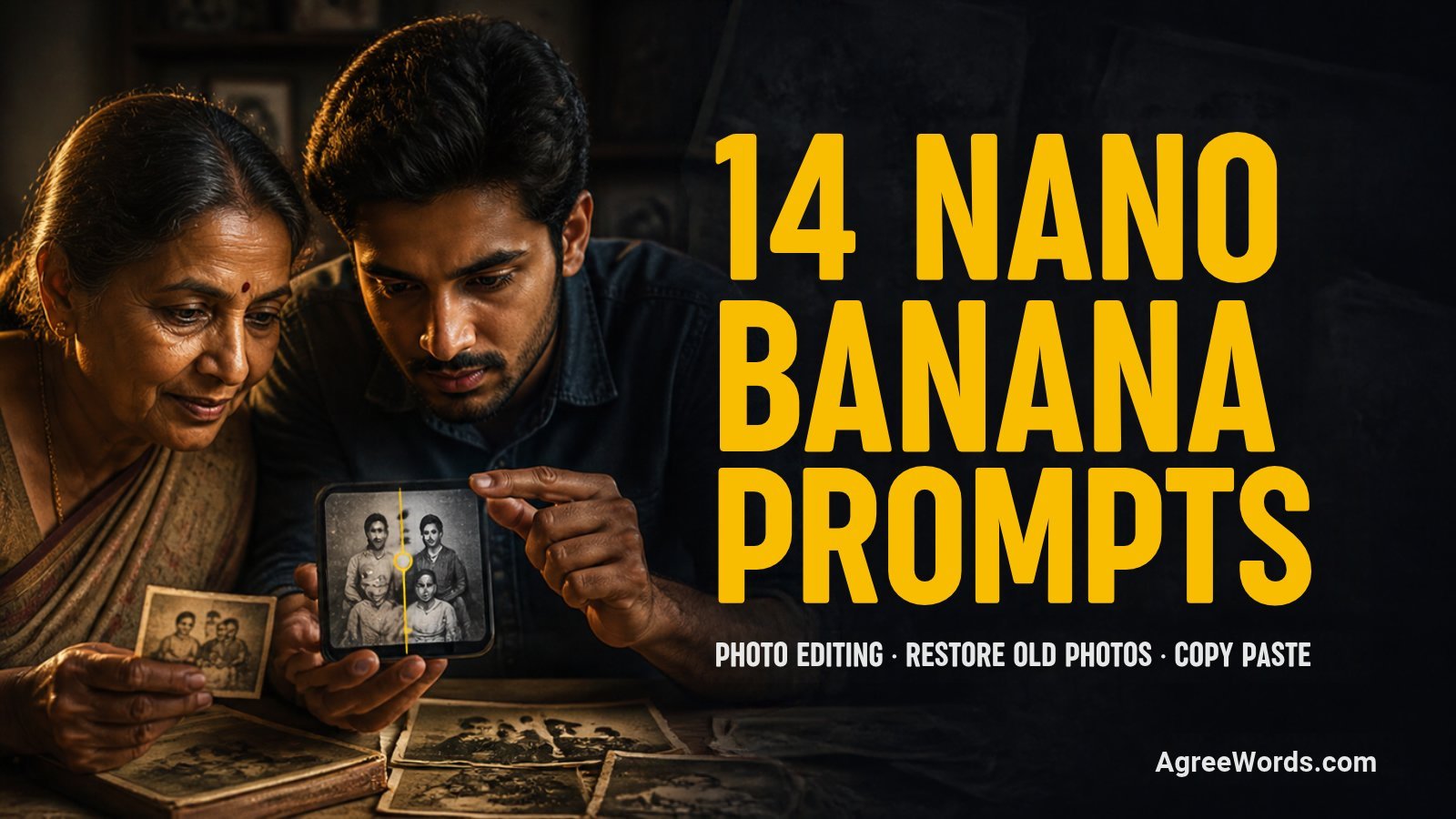
14 ready nano banana prompts for photo editing: restore old photos, sharpen to 4K, remove objects, change background or outfit, fix lighting and more.
Copy any of these 14 nano banana prompts for photo editing into Gemini, upload your own photo, and you get a proper edit instead of a flat, over smoothed AI face. No app, no Photoshop skills, just a detailed prompt and your phone.
Most people type something short like “make this photo better” and get back a face that barely looks like them, or a background that looks pasted on. The fix is a longer, specific prompt that locks your face first and then spells out exactly what to fix, which is exactly what every prompt below does.
What Is Nano Banana
Nano Banana is Google’s nickname for the image model inside the Gemini app, not a separate app you download. The first version was Gemini 2.5 Flash Image. The newer Nano Banana 2 (Gemini 3.1 Flash Image) is now the default image model in Gemini, and Nano Banana Pro (Gemini 3 Pro Image) is the higher quality option for harder edits like old photo restoration.
How These Nano Banana Prompts for Photo Editing Work
Every prompt here is written for the free versions of Gemini and ChatGPT Images, the two apps most readers already have. Each one tells the app to use your uploaded photo, keeps a FACE LOCK line so your face or your family member’s face does not get redrawn, then spells out exactly what to fix in plain words. There are no Midjourney style codes like --ar or --v, since the free apps do not support them.
We have not tested every single result ourselves, so do not expect a perfect fix every time. One thing to know before you start: both apps limit how many images you can generate free each day, and that number changes often. Check the limit shown inside your own Gemini or ChatGPT app before you try a big batch of these prompts.
If you already tried our Gemini AI photo prompts for boys or the Christmas AI photo prompts, those are themed photoshoot prompts. This post is the practical editing side instead, fixing a real photo you already have.
Restore and Colourise Old Family Photos
This follows the old photo colour restoration trend that spread through 2025 and 2026, where people upload a faded, scratched or black and white photo of their parents or grandparents and ask Nano Banana to bring it back to life. Google’s own Gemini account promoted this exact use in September 2025.
Old Photo Colour Restoration Trend
Use my uploaded photo, which is an old faded or black and white photo.
FACE LOCK: keep every face in the photo exactly as it is, same eyes, nose, lips, skin tone, hairline and expression, do not beautify or change anyone's identity, especially if the person is no longer alive.
Subject: restore the photo to look like a well kept original, fix the fading and yellowing, and add natural, realistic skin and clothing colours based on the era of the photo.
Place and background: keep the original background and setting exactly as it is, only clean up fading and marks, do not add new objects.
Light: restore natural looking light and shadow the way it would have looked in the original shot.
Camera and lens feel: keep the original photo composition and framing, do not crop or zoom.
Colours and mood: warm, natural, period correct colours, not oversaturated.
Quality: sharp but not plastic looking, realistic skin texture, keep every face recognisable.
Avoid: changing any face, adding people who were not in the photo, cartoon look, over smoothing, text, logos, watermark.
Works in: Gemini (Nano Banana) and ChatGPT Images.
- Variation 1: ask for a lighter, softer colour tone if the photo is from a wedding or festival.
- Variation 2: ask it to also straighten a tilted or crooked scan.
Matching caption: “Some photos fade, the people in them never do.” Pair it with a line from our one word comments for Instagram post if you want a shorter comment to go with it.
Torn and Scratched Photo Repair Prompt
Use my uploaded photo, which has tears, scratches or a crease across it.
FACE LOCK: keep every face exactly as it is, same features and expression, do not beautify or change anyone's identity.
Subject: repair the tears, scratches and crease lines, and reconstruct only the missing part using the surrounding photo as a guide, keeping it realistic and not invented.
Place and background: keep the rest of the background unchanged, only fix the damaged area.
Light: match the lighting of the repaired area to the rest of the photo.
Camera and lens feel: keep the same framing as the original, do not crop.
Colours and mood: match the existing tone of the photo, do not change colours that are already fine.
Quality: clean repair with no visible patch lines, natural looking texture.
Avoid: changing any face, inventing people or objects that were not there, cartoon look, text, logos, watermark.
Works in: Gemini (Nano Banana) and ChatGPT Images.
- Variation 1: ask it to also remove dust spots across the whole photo.
- Variation 2: ask for the repaired version in both colour and the original black and white.
Matching caption: “Fixed the tear, kept the memory exactly the same.”
Enhance Photos to a Sharp, 4K Look
This follows the 4K portrait enhancement trend that spread after Nano Banana’s retro portrait wave in 2025, where a blurry phone photo is turned into a sharp, high resolution version that looks like it came from a proper camera.
4K Portrait Enhancement Trend
Use my uploaded photo, which is a blurry or low quality phone photo.
FACE LOCK: keep my face, eyes, nose, lips, skin tone, hairline and body shape exactly the same, do not beautify or change my identity.
Subject: sharpen the photo to a clean, high resolution look, remove blur and compression noise, keep every real detail the same.
Place and background: keep the background exactly as it is, only sharpen it, do not add or remove objects.
Light: keep the original lighting, only correct harsh over brightness or darkness if present.
Camera and lens feel: sharp focus across the frame, like a photo from a good camera instead of a phone.
Colours and mood: natural, true to the original colours, not oversaturated.
Quality: crisp detail, realistic skin texture, natural hands, no extra fingers.
Avoid: changing my face, extra or missing fingers, distorted hands, plastic skin, cartoon look, text, logos, watermark.
Works in: Gemini (Nano Banana) and ChatGPT Images.
- Variation 1: ask for a slightly warmer, golden hour colour grade along with the sharpening.
- Variation 2: ask it to also straighten the horizon if the photo was tilted.
Matching caption: “Same photo, just the version my camera meant to take.”
Old Scan to Print Quality Prompt
Use my uploaded photo, which is an old, low resolution scan or screenshot.
FACE LOCK: keep every face exactly as it is, same features and expression, do not change anyone's identity.
Subject: increase the sharpness and clarity so the photo looks good enough to print, without changing any real detail.
Place and background: keep the background and composition exactly the same.
Light: keep the original lighting as it is, only correct heavy pixelation or blur.
Camera and lens feel: even sharpness across the whole frame, no soft patches.
Colours and mood: match the original tone, slightly cleaner, not oversaturated.
Quality: print ready clarity, realistic texture, no smoothing that removes real detail.
Avoid: changing any face, adding new objects or people, cartoon look, text, logos, watermark.
Works in: Gemini (Nano Banana) and ChatGPT Images.
- Variation 1: ask for a square crop if you plan to frame it.
- Variation 2: ask for a slightly larger canvas with the edges extended naturally.
Matching caption: “Printed it bigger because this one deserved a frame.”
Remove Unwanted Objects and People
This is not a viral challenge like the saree trend, it is one of Nano Banana’s most useful everyday editing jobs, taking out something distracting from a real photo without touching anything else.
Remove Unwanted Object Prompt
Use my uploaded photo.
FACE LOCK: keep every face in the photo exactly as it is, do not change anyone's identity.
Subject: remove [describe the object, for example the dustbin on the right or the wire across the sky] from the photo completely.
Place and background: rebuild that part of the background using the surrounding scene so it looks like the object was never there, keep everything else unchanged.
Light: match the lighting and shadow direction of the rest of the photo in the rebuilt area.
Camera and lens feel: keep the same framing, perspective and focus as the original.
Colours and mood: match the existing colours of the photo exactly.
Quality: seamless edit with no visible patch or blur where the object was.
Avoid: changing any face, adding new objects, cartoon look, text, logos, watermark.
Works in: Gemini (Nano Banana) and ChatGPT Images.
- Variation 1: remove more than one object by listing all of them in the same prompt.
- Variation 2: ask it to also clean up small dust spots on the lens.
Matching caption: “Edited out the clutter, kept everything that mattered.”
Crowd Cleanup Prompt
Use my uploaded photo, which has other people in the background I do not want.
FACE LOCK: keep my face and the face of [name the one person to keep, for example my wife in the blue saree] exactly the same, do not change our identity.
Subject: remove every other person from the photo except me and the person named above, keep our pose and position exactly the same.
Place and background: fill the empty space using the surrounding background so it looks natural and untouched.
Light: match the lighting and shadows of the rest of the photo.
Camera and lens feel: keep the same framing and perspective as the original.
Colours and mood: match the existing colours of the photo.
Quality: clean, natural result with no visible editing marks.
Avoid: changing any face we are keeping, adding new people, cartoon look, text, logos, watermark.
Works in: Gemini (Nano Banana) and ChatGPT Images.
- Variation 1: keep more than one person by naming each one clearly.
- Variation 2: ask it to also blur the background slightly for a cleaner look.
Matching caption: “Cropped out the crowd, kept the only two people who matter in this frame.” Our comments for a wife pic on Instagram post has more lines like this one for a couple photo.
Change the Background
This follows the professional headshot background trend, where people turn a casual selfie into a clean, studio style photo for LinkedIn or a resume, covered by several India tech sites through 2025 and 2026.
Professional Headshot Background Trend
Use my uploaded photo.
FACE LOCK: keep my face, eyes, nose, lips, skin tone, hairline and body shape exactly the same, do not beautify or change my identity.
Subject: me in the same pose and outfit as my photo, with a calm, confident, professional expression.
Place and background: replace the background with a plain, softly blurred studio background in a neutral grey or soft blue tone.
Light: even, soft studio style lighting with no harsh shadows on my face.
Camera and lens feel: 50mm lens look, head and shoulders framing, shallow depth of field.
Colours and mood: neutral, clean, professional mood.
Aspect ratio: square or vertical 4:5 portrait.
Quality: sharp focus on my face, natural skin texture, no extra fingers if hands are visible.
Avoid: changing my face, extra or missing fingers, plastic skin, cartoon look, text, logos, watermark, extra people.
Works in: Gemini (Nano Banana) and ChatGPT Images.
- Variation 1: change the background tone to a warm beige for a softer look.
- Variation 2: ask for a slight smile instead of a neutral expression.
Matching caption: “New profile photo, same person who still hates taking photos.”
Travel Backdrop Swap Prompt
Use my uploaded photo.
FACE LOCK: keep my face, eyes, nose, lips, skin tone, hairline and body shape exactly the same, do not change my identity.
Subject: me in the same pose and outfit as my photo.
Place and background: replace the background with [describe the place, for example a quiet beach at sunset or a hill station with pine trees], keeping the scale and perspective realistic.
Light: match natural light for that place and time of day.
Camera and lens feel: 35mm lens look, medium shot, natural depth of field.
Colours and mood: colours that match the new location, relaxed and happy mood.
Aspect ratio: vertical 4:5 portrait.
Quality: realistic blending between me and the new background, natural shadow under my feet.
Avoid: changing my face, mismatched lighting or scale, cartoon look, text, logos, watermark, extra people.
Works in: Gemini (Nano Banana) and ChatGPT Images.
- Variation 1: swap the location to a city skyline at night.
- Variation 2: ask for light rain in the new background for a moodier look.
Matching caption: “Never been there, but the photo says otherwise.”
Change the Outfit
Outfit swap prompts made Google’s own roundup of the best Nano Banana trends from 2025, where people keep their pose and face but change what they are wearing.
Office Formal Outfit Swap Prompt
Use my uploaded photo.
FACE LOCK: keep my face, eyes, nose, lips, skin tone, hairline and body shape exactly the same, do not change my identity.
Subject: me in the same pose, wearing a smart formal outfit instead of my current clothes, for example a well fitted blazer and collared shirt.
Place and background: keep my original background exactly as it is.
Light: keep the original lighting of my photo unchanged.
Camera and lens feel: keep the same framing and angle as my original photo.
Colours and mood: neutral formal colours like navy, grey or white, confident mood.
Aspect ratio: keep the same aspect ratio as my uploaded photo.
Quality: realistic fabric texture and fit, natural hands, no extra fingers.
Avoid: changing my face or body shape, extra or missing fingers, cartoon look, text, logos, watermark.
Works in: Gemini (Nano Banana) and ChatGPT Images.
- Variation 1: change the outfit colour to all black for a sharper look.
- Variation 2: swap the blazer for a simple kurta for a festive office party.
Matching caption: “Dressed the photo up, the actual Monday is still the same.”
Festive Outfit Swap Prompt
Use my uploaded photo.
FACE LOCK: keep my face, eyes, nose, lips, skin tone, hairline and body shape exactly the same, do not change my identity.
Subject: me in the same pose, wearing a festive outfit instead of my current clothes, for example an embroidered kurta or a saree with simple jewellery.
Place and background: keep my original background exactly as it is.
Light: keep the original lighting of my photo unchanged.
Camera and lens feel: keep the same framing and angle as my original photo.
Colours and mood: warm festive colours like maroon, gold or deep green, happy mood.
Aspect ratio: keep the same aspect ratio as my uploaded photo.
Quality: realistic fabric and embroidery texture, natural hands, no extra fingers.
Avoid: changing my face or body shape, extra or missing fingers, cartoon look, text, logos, watermark.
Works in: Gemini (Nano Banana) and ChatGPT Images.
- Variation 1: change the colour to a lighter pastel for a daytime function.
- Variation 2: add simple traditional jewellery like a maang tikka or a pocket square.
Matching caption: “Festive outfit loading, actual festival mood still buffering.” If the result looks like a saree photo, our comments for a saree pic post has matching lines ready to use.
Fix Lighting
These two prompts pair well with the headshot and outfit prompts above, for photos where the face and pose are already good but the light is flat, too dark or too harsh.
Harsh Shadow Fix Prompt
Use my uploaded photo, which has a harsh shadow or backlight on my face.
FACE LOCK: keep my face, eyes, nose, lips, skin tone, hairline and body shape exactly the same, do not change my identity.
Subject: me in the same pose and outfit as my photo.
Place and background: keep the background exactly as it is.
Light: replace the harsh shadow or backlight with soft, even light on my face, keep the rest of the lighting in the scene natural.
Camera and lens feel: keep the same framing and angle as the original.
Colours and mood: natural skin tone, calm and clear mood.
Quality: even exposure on my face, no blown out highlights or blocked shadows.
Avoid: changing my face, over brightening the whole photo, cartoon look, text, logos, watermark.
Works in: Gemini (Nano Banana) and ChatGPT Images.
- Variation 1: ask for a slightly warmer tone if the original felt too cool or blue.
- Variation 2: ask it to also brighten just the eyes slightly without changing their shape.
Matching caption: “Fixed the lighting, the confidence was already there.”
Golden Hour Light Prompt
Use my uploaded photo, which was taken indoors or in flat daylight.
FACE LOCK: keep my face, eyes, nose, lips, skin tone, hairline and body shape exactly the same, do not change my identity.
Subject: me in the same pose and outfit as my photo.
Place and background: keep the background exactly as it is, only adjust the light falling on it.
Light: add warm, golden hour style light coming from one side, soft long shadows.
Camera and lens feel: keep the same framing and angle as the original.
Colours and mood: warm orange and gold tones, calm evening mood.
Quality: natural looking light direction, realistic skin texture.
Avoid: changing my face, unrealistic glow, cartoon look, text, logos, watermark.
Works in: Gemini (Nano Banana) and ChatGPT Images.
- Variation 1: make the golden light softer for an early morning feel instead.
- Variation 2: add a slight warm rim light on the hair for extra depth.
Matching caption: “Indoor photo, outdoor golden hour, nobody needs to know the difference.”
Make a Passport Style Photo
Passport style headshot prompts were one of the “India specific” Gemini edits that tech sites listed after the saree trend went viral. Use this only as a quick preview, not as your final submission photo. Passport and visa rules are strict and differ by country, and several official portals do not accept AI edited or background replaced photos at all, so always check your own country’s official passport or visa website before you apply.
Passport Style Preview Prompt
Use my uploaded photo.
FACE LOCK: keep my face, eyes, nose, lips, skin tone, hairline and body shape exactly the same, do not beautify or change my identity.
Subject: me facing the camera directly with a neutral expression, mouth closed, both eyes open, ears visible if possible.
Place and background: replace the background with a plain white background only, no shadow on the background or on my face.
Light: even, front facing light with no harsh shadow on my face or neck.
Camera and lens feel: straight on, head and shoulders framing, no tilt.
Colours and mood: neutral, true to life skin tone, no filter.
Aspect ratio: square framing.
Quality: sharp focus on my face, no glasses glare, no filter or beautifying effect.
Avoid: changing my face, smiling with teeth showing, shadows, filters, text, logos, watermark, accessories that cover my face.
Works in: Gemini (Nano Banana) and ChatGPT Images.
- Variation 1: ask for a light grey background instead of white if your country allows it.
- Variation 2: ask it to straighten my head position if the original photo has a tilt.
Matching caption: “Practising my passport face before the real studio appointment.”
Quick ID Photo Preview Prompt
Use my uploaded photo.
FACE LOCK: keep my face, eyes, nose, lips, skin tone, hairline and body shape exactly the same, do not change my identity.
Subject: me facing the camera directly with a calm, neutral expression.
Place and background: replace the background with a plain light blue or white background, evenly lit.
Light: even, soft light with no shadow across my face.
Camera and lens feel: straight on, close head and shoulders framing.
Colours and mood: neutral, natural skin tone.
Aspect ratio: square framing.
Quality: sharp, clean result with no visible editing marks.
Avoid: changing my face, filters, shadows, text, logos, watermark.
Works in: Gemini (Nano Banana) and ChatGPT Images.
- Variation 1: ask for a size note in words like “close crop, just head and shoulders” if your ID needs a tighter frame.
- Variation 2: generate two versions, one white and one light blue background, then pick based on what your document asks for.
Matching caption: “Just a preview, the real one still needs an actual studio stamp.”
Which Prompt for Which App
| What you want to fix | Best free app to try first | Also works in |
|---|---|---|
| Restore or colourise an old photo | Gemini (Nano Banana Pro for tricky damage) | ChatGPT Images |
| Sharpen a blurry or low quality photo | Gemini (Nano Banana) | ChatGPT Images |
| Remove an object or extra people | Gemini (Nano Banana) | ChatGPT Images |
| Change background or outfit | Gemini (Nano Banana) | ChatGPT Images |
| Passport or ID style preview | Gemini (Nano Banana) | ChatGPT Images |
If the Result Looks Wrong
We did not test every prompt ourselves, so results depend on your original photo and which app you use. A few fixes that come straight from the apps’ own help pages instead of guesswork:
- If the face changes too much, re upload a clearer, well lit photo and repeat the FACE LOCK line at the start of your next message, since Gemini’s own prompting tips say being specific about what must stay the same gives more consistent results.
- If the edit looks patchy where an object was removed, ask the app again to “blend the edited area with the lighting and texture around it,” which both Google’s and OpenAI’s image help pages suggest as a follow up instruction.
- If hands or fingers look wrong, mention hands specifically in your next prompt, since this is a known weak point for AI image tools and calling it out directly usually helps.
- If you keep getting a blocked or filtered result, remove any mention of real public figures, children’s faces without a parent’s permission, or sensitive documents, since both apps block prompts like that by design.
Privacy and Safety
Use only your own photo, or one you have clear permission to edit. Do not upload or recreate a celebrity’s face, and never upload a child’s photo without a parent’s permission. Google adds an invisible SynthID marker to images made or edited with its AI tools, so an edited photo can usually be identified as AI assisted even if it looks real. Read the privacy and content terms inside your Gemini or ChatGPT app before uploading family photos, especially pictures of people who are no longer alive.
FAQs About Nano Banana Prompts for Photo Editing
What is Nano Banana in Gemini?
Nano Banana is Google’s nickname for the image model built into the Gemini app. It is not a separate app, it is the engine behind Gemini’s photo generation and editing features.
Can nano banana prompts for photo editing actually restore an old photo properly?
Often yes for fading, scratches and colour, but AI restoration does not always recover details that are fully lost in the original. Compare the result with the original photo, especially for faces, before you trust it for a precious old picture.
Is it safe to use an AI edited photo for my passport application?
Treat it as a preview only. Many official passport and visa portals reject AI edited or background replaced photos, and rules differ by country, so always check your own country’s official passport website before submitting any photo.
Do I need a paid plan to use these prompts?
No, every prompt here works on the free version of Gemini and ChatGPT Images. Free plans do limit how many images you can generate each day, and that number changes, so check the current limit inside your own app.
Why does my edited photo not look exactly like me?
Usually because the FACE LOCK line was skipped or the uploaded photo was blurry or at an odd angle. Re upload a clear, well lit, front facing photo and keep the FACE LOCK line exactly as written in the prompt.
AI Prompts
Add on Google12 AI Couple Photo Prompts for ChatGPT and Gemini (Copy and Paste)
12 original AI couple photo prompts for Gemini and ChatGPT, with a face lock, Avoid line and one ready Instagram caption on each prompt.
Want an AI couple photo that looks like a real shoot, not a stiff, mismatched blend of two faces? Copy one of these 12 AI couple photo prompts into Gemini or ChatGPT, upload your photo together (or your two solo photos for the long distance one), and you get a specific, detailed scene instead of a generic “make us look romantic” result.
Most couples type “turn our photo into a romantic picture” and get back two faces that barely look like them, pasted onto a random background. The fix is a longer, more specific prompt that locks both your faces and spells out the outfit, place, light and camera look, which is exactly what each prompt below does.
How These AI Couple Photo Prompts Work
Every prompt here is written for the free versions of Gemini (the Nano Banana image model) and ChatGPT Images, the two apps most couples already have on their phone. Each one tells the app to use your uploaded photo, keeps a “face lock” line for both of you so neither face gets redrawn, then describes the outfit, place, light and camera feel in plain words. There are no Midjourney style codes like –ar or –v, since the free apps do not support them.
One thing to know before you start: both apps limit how many images you can generate free each day, and that number changes often as demand changes. Check the limit shown inside your own Gemini or ChatGPT app before you plan a long session of ai couple photo prompts, rather than trust any fixed number you read online.
Romantic and Traditional Indian Couple AI Photo Prompts
Retro saree style couple portraits and 90s Bollywood style edits have been two of the most shared Gemini couple trends since they first spread on Instagram, and both still work well as a starting point for a traditional Indian couple look.
Retro Saree Couple Trend Prompt
Use my uploaded photo of us together.
FACE LOCK: keep both our faces, eyes, nose, lips, skin tone, hairline and body shape exactly the same for both of us, do not beautify or change our identity.
Subject: a couple standing close together, her in a silk saree in a deep red or mustard colour with gold border, him in a cream kurta, both looking at the camera with a soft smile.
Place and background: an old style Indian courtyard with a stone wall and hanging marigold string lights, slightly blurred.
Light: warm golden hour light coming from one side, soft shadows.
Camera and lens feel: 50mm portrait lens look, medium close shot, shallow depth of field.
Colours and mood: warm red, mustard and gold tones, nostalgic and romantic mood.
Aspect ratio: vertical 4:5 portrait.
Quality: sharp focus on both faces, realistic fabric texture on the saree and kurta, natural hands, no extra fingers.
Avoid: changing our faces, extra or missing fingers, distorted hands, blurry eyes, plastic skin, cartoon look unless asked, text, logos, watermark, extra people, cut off head.
Works in: Gemini (Nano Banana), also works in ChatGPT Images.
- Variation 1: swap the courtyard for a rooftop at dusk with string lights overhead.
- Variation 2: change the saree colour to royal blue with silver border.
Matching caption: “Some looks are not a trend, they are just us, dressed as our favourite version of each other.”
90s Bollywood Retro Couple Trend Prompt
Use my uploaded photo of us together.
FACE LOCK: keep both our faces, eyes, nose, lips, skin tone, hairline and body shape exactly the same for both of us, do not beautify or change our identity.
Subject: a couple in 90s Bollywood style clothing, her in a floral chiffon saree with the pallu flowing, him in a simple collared shirt and trousers, playful expressions.
Place and background: a green hillside or mustard field in soft focus, light mist in the distance.
Light: soft overcast daylight with a gentle warm tint, like an old film reel.
Camera and lens feel: grainy film camera look, medium wide shot, slight motion blur in the flowing fabric.
Colours and mood: warm faded tones, playful and nostalgic mood.
Aspect ratio: horizontal 4:3.
Quality: sharp focus on both faces, realistic fabric movement, natural hands, no extra fingers.
Avoid: changing our faces, extra or missing fingers, distorted hands, blurry eyes, plastic skin, cartoon look unless asked, text, logos, watermark, extra people, cut off head.
Works in: Gemini (Nano Banana), also works in ChatGPT Images.
- Variation 1: change the location to a university campus style garden.
- Variation 2: swap the chiffon saree for a cotton salwar suit in a solid colour.
Matching caption: “If our love had a trailer, it would look exactly like this.”
Once the photo is ready, our anniversary captions for couples have more lines in the same nostalgic tone.
Pre-Wedding and Anniversary AI Photo Prompts
The Gemini pre-wedding photoshoot trend went viral with couples using it as a free, at home first look before booking a real photographer, and a related trend uses the same tools to restore an old wedding photo as an anniversary gift.
Pre-Wedding Cinematic Trend Prompt
Use my uploaded photo of us together.
FACE LOCK: keep both our faces, eyes, nose, lips, skin tone, hairline and body shape exactly the same for both of us, do not beautify or change our identity.
Subject: a couple in coordinated outfits, her in a flowing pastel lehenga, him in a matching bandhgala jacket, standing close with foreheads almost touching.
Place and background: a scenic outdoor location such as a palace garden or a hilltop at sunset, softly blurred.
Light: warm sunset light with a slight lens flare.
Camera and lens feel: 85mm portrait lens look, shallow depth of field, slightly low angle for a cinematic feel.
Colours and mood: warm pastel and gold tones, romantic and dreamy mood.
Aspect ratio: vertical 4:5 portrait.
Quality: sharp focus on both faces, realistic fabric and jewellery detail, natural hands, no extra fingers.
Avoid: changing our faces, extra or missing fingers, distorted hands, blurry eyes, plastic skin, cartoon look unless asked, text, logos, watermark, extra people, cut off head.
Works in: Gemini (Nano Banana), also works in ChatGPT Images.
- Variation 1: change the location to a beach at golden hour.
- Variation 2: swap the lehenga and bandhgala for simple white outfits in a garden.
Matching caption: “Before the wedding card, before the guest list, just us and this view.”
Anniversary Photo Restore Trend Prompt
Use my uploaded old wedding or early relationship photo of us together.
FACE LOCK: keep both our faces, eyes, nose, lips, skin tone, hairline and body shape exactly the same for both of us, do not beautify or change our identity or age us differently from the original photo.
Subject: the same couple and pose from the original photo, now in natural, restored colour instead of faded or black and white tones.
Place and background: keep the original background, only sharpen and clean it, remove scratches, dust and creases.
Light: restore natural looking daylight or indoor light that matches the original photo's setting.
Camera and lens feel: keep the original framing and angle exactly, only improve clarity and sharpness.
Colours and mood: warm, natural, true to life colours, nostalgic and warm mood.
Aspect ratio: same as the original uploaded photo.
Quality: sharp focus on both faces, realistic skin texture, no new objects added.
Avoid: changing our faces or ages, adding people or objects that were not in the original, extra or missing fingers, distorted hands, cartoon look, text, logos, watermark.
Works in: Gemini (Nano Banana), also works in ChatGPT Images.
- Variation 1: ask for a soft colour grade that matches a specific decade’s film look.
- Variation 2: request just the scratch and dust removal, keeping the original black and white tone.
Matching caption: “Same two people, same smile, just a little clearer now.”
For the caption underneath, our pre wedding shoot captions for Instagram and honeymoon captions for Instagram cover both the before and after.
Candid and Wallpaper Style AI Couple Photo Prompts
The Gemini Polaroid trend and a separate matching hoodie portrait trend are both built for a more casual, everyday couple look instead of a styled shoot.
Couple Polaroid Trend Prompt
Use my uploaded photo of us together.
FACE LOCK: keep both our faces, eyes, nose, lips, skin tone, hairline and body shape exactly the same for both of us, do not beautify or change our identity.
Subject: a couple hugging and smiling at the camera, casual everyday clothes, relaxed candid pose.
Place and background: a simple indoor or outdoor setting that matches our original photo, kept natural looking.
Light: soft natural light with a slight warm film tint and a hint of grain.
Camera and lens feel: instant film camera look, square frame, slightly soft focus at the edges.
Colours and mood: warm, slightly faded colours, candid and joyful mood.
Aspect ratio: square 1:1, placed inside a white Polaroid style border.
Quality: sharp enough to recognise both faces clearly, realistic film grain texture, natural hands, no extra fingers.
Avoid: changing our faces, extra or missing fingers, distorted hands, blurry eyes, plastic skin, cartoon look unless asked, text, logos, watermark, extra people, cut off head.
Works in: Gemini (Nano Banana), also works in ChatGPT Images.
- Variation 1: add a handwritten style date in the bottom white border.
- Variation 2: change the pose to a forehead to forehead moment instead of a hug.
Matching caption: “Some moments do not need a filter, just a Polaroid border.”
Matching Hoodie Portrait Trend Prompt
Use my uploaded photo of us together.
FACE LOCK: keep both our faces, eyes, nose, lips, skin tone, hairline and body shape exactly the same for both of us, do not beautify or change our identity.
Subject: a couple wearing matching neutral coloured hoodies, sitting close together, relaxed and cosy pose.
Place and background: a cosy indoor corner with a soft blanket, warm fairy lights, or a cafe window with soft bokeh outside.
Light: warm, soft indoor light, gentle shadows.
Camera and lens feel: 50mm lens look, close portrait shot, shallow depth of field.
Colours and mood: warm neutral and cream tones, cosy and relaxed mood.
Aspect ratio: vertical 4:5 portrait.
Quality: sharp focus on both faces, realistic fabric texture on the hoodies, natural hands, no extra fingers.
Avoid: changing our faces, extra or missing fingers, distorted hands, blurry eyes, plastic skin, cartoon look unless asked, text, logos, watermark, extra people, cut off head.
Works in: Gemini (Nano Banana), also works in ChatGPT Images.
- Variation 1: swap the indoor corner for a window seat with rain outside.
- Variation 2: change the hoodie colours to match each other in a deep green.
Matching caption: “Matching hoodies, unmatched comfort, this is our kind of date night.”
Couple Wallpaper Trend Prompt
Use my uploaded photo of us together.
FACE LOCK: keep both our faces, eyes, nose, lips, skin tone, hairline and body shape exactly the same for both of us, do not beautify or change our identity.
Subject: a close up candid shot of a couple, foreheads close, soft genuine smiles, golden hour lighting on both faces.
Place and background: a simple outdoor setting with warm light and soft blur, open space near the top of the frame for a phone clock.
Light: warm golden hour light directly on both faces.
Camera and lens feel: 50mm lens look, close crop, shallow depth of field.
Colours and mood: warm gold and soft orange tones, intimate and calm mood.
Aspect ratio: vertical 9:16, with clear open space at the top third.
Quality: sharp focus on both faces, realistic skin texture, natural hands, no extra fingers.
Avoid: changing our faces, extra or missing fingers, distorted hands, blurry eyes, plastic skin, cartoon look unless asked, text, logos, watermark, extra people, cut off head.
Works in: Gemini (Nano Banana), also works in ChatGPT Images.
- Variation 1: change the setting to a city rooftop at night with soft lights.
- Variation 2: ask for a slightly cooler, blue toned evening version for a night mode wallpaper.
Matching caption: “Now my lock screen matches how I actually feel about you.”
Black and White and Cinematic AI Couple Photo Prompts
A black and white, Old Hollywood style couple edit and a rainy noir version both spread from the same wave of Gemini cinematic couple prompts, and they work well when you want a more dramatic, timeless look instead of bright colour.
Old Hollywood Black and White Couple Trend Prompt
Use my uploaded photo of us together.
FACE LOCK: keep both our faces, eyes, nose, lips, skin tone, hairline and body shape exactly the same for both of us, do not beautify or change our identity.
Subject: a couple in elegant formal wear, her in a simple fitted gown, him in a suit, standing close in a classic film pose.
Place and background: a plain studio style background with soft directional light, no colour, fine film grain.
Light: dramatic side lighting with soft shadows, classic studio portrait style.
Camera and lens feel: 85mm portrait lens look, medium close shot, shallow depth of field.
Colours and mood: full black and white, elegant and timeless mood.
Aspect ratio: vertical 4:5 portrait.
Quality: sharp focus on both faces, realistic fabric texture, natural hands, no extra fingers.
Avoid: changing our faces, extra or missing fingers, distorted hands, blurry eyes, plastic skin, cartoon look unless asked, text, logos, watermark, extra people, cut off head, colour tint.
Works in: Gemini (Nano Banana), also works in ChatGPT Images.
- Variation 1: change the pose to a slow dance style hold.
- Variation 2: add a plain dark curtain backdrop instead of a studio background.
Matching caption: “Black and white because some love stories do not need colour to prove a point.”
Noir Rain Romance Trend Prompt
Use my uploaded photo of us together.
FACE LOCK: keep both our faces, eyes, nose, lips, skin tone, hairline and body shape exactly the same for both of us, do not beautify or change our identity.
Subject: a couple standing close under one umbrella, casual coats, both looking at each other.
Place and background: a wet city street at night with reflections of streetlights on the cobblestones, blurred background.
Light: moody streetlight glow with soft reflections on the wet ground.
Camera and lens feel: 35mm lens look, medium wide shot, slight film grain.
Colours and mood: full black and white, moody and romantic mood.
Aspect ratio: horizontal 16:9.
Quality: sharp focus on both faces, realistic water reflection and fabric texture, natural hands, no extra fingers.
Avoid: changing our faces, extra or missing fingers, distorted hands, blurry eyes, plastic skin, cartoon look unless asked, text, logos, watermark, extra people, cut off head, colour tint.
Works in: Gemini (Nano Banana), also works in ChatGPT Images.
- Variation 1: change the setting to a quiet train platform at night.
- Variation 2: swap the single umbrella for both of us simply walking close together without one.
Matching caption: “Rain, one umbrella, zero complaints.”
Funny and Long Distance AI Couple Photo Prompts
The 3D figurine trend and the ChatGPT caricature trend both turn a serious photo into something playful, and a separate long distance merge approach helps couples who have not been in the same city in a while get one shared photo anyway.
3D Figurine Couple Trend Prompt
Use my uploaded photo of us together.
FACE LOCK: keep both our faces, eyes, nose, lips, skin tone, hairline and body shape exactly the same for both of us, do not beautify or change our identity.
Subject: both of us redesigned as a pair of collectible 3D figurines in our actual outfits from the photo, standing on a small round display base.
Place and background: the figurines placed inside a clear plastic collectible toy box with simple packaging design, placed on a plain table.
Light: soft studio product photography lighting.
Camera and lens feel: close up product shot look, shallow depth of field, slightly higher camera angle looking down.
Colours and mood: bright, clean colours matching our real outfits, playful and fun mood.
Aspect ratio: square 1:1.
Quality: sharp focus on the figurine faces and details, smooth toy like plastic texture, no distorted proportions.
Avoid: changing our facial likeness, distorted proportions, missing limbs, blurry details, text other than simple packaging design, logos, watermark, extra figurines.
Works in: Gemini (Nano Banana), also works in ChatGPT Images.
- Variation 1: add a small matching accessory to the base, like a tiny cup or a pet figurine.
- Variation 2: change the packaging colour to match our favourite colour as a couple.
Matching caption: “We got turned into toys and honestly, we would still pick each other off the shelf.”
Couple Caricature Trend Prompt
Use my uploaded photo of us together.
FACE LOCK: keep both our faces recognisable, our main features exaggerated playfully but our identity still clearly us, do not change our actual face shape beyond a fun caricature style.
Subject: a playful caricature style illustration of both of us together, exaggerated expressions, our real outfits from the photo simplified into a cartoon style.
Place and background: a simple plain or softly coloured background, no distracting details.
Light: flat, even illustration style lighting.
Camera and lens feel: not applicable, hand drawn caricature illustration style.
Colours and mood: bright, warm colours, funny and lighthearted mood.
Aspect ratio: square 1:1.
Quality: clean line art, smooth colouring, no blurry or unfinished looking lines.
Avoid: making us unrecognisable, adding extra people, text, logos, watermark, distorted limbs, anything mean spirited about either of our features.
Works in: ChatGPT Images, also works in Gemini (Nano Banana).
- Variation 1: add one shared hobby prop, like two coffee cups or two bicycles.
- Variation 2: ask for exaggerated height difference if that is actually true for you two.
Matching caption: “This is either really accurate or we need to talk.”
Long Distance Couple Merge Trend Prompt
Use both uploaded photos, one of me and one of my partner, taken separately.
FACE LOCK: keep both our faces, eyes, nose, lips, skin tone, hairline and body shape exactly the same as our separate photos, do not beautify or change our identity.
Subject: both of us standing or sitting close together as if we were photographed in the same place at the same time, natural shared pose like holding hands or standing shoulder to shoulder.
Place and background: a simple shared setting such as a park bench or a cafe table, lighting consistent across both of us.
Light: match the lighting direction and warmth across both people so neither looks pasted in.
Camera and lens feel: 50mm lens look, medium shot, natural shared depth of field.
Colours and mood: warm, natural tones, calm and together mood.
Aspect ratio: horizontal 4:3.
Quality: sharp focus on both faces, consistent lighting and shadow direction on both people, natural hands, no extra fingers.
Avoid: changing either face, mismatched lighting between us, extra or missing fingers, distorted hands, blurry eyes, cartoon look unless asked, text, logos, watermark, extra people, cut off head.
Works in: Gemini (Nano Banana), also works in ChatGPT Images.
- Variation 1: set the shared scene at a specific place you both want to visit together.
- Variation 2: ask for a nighttime city view instead of a daytime park setting.
Matching caption: “Different cities, same photo, zero distance between us tonight.”
Our long distance relationship captions pair well with this one, and our comments for couple post has lines your friends can drop under it.
Quick Pick: Which Prompt and Aspect Ratio to Use
| You want this look | Best prompt above | Aspect ratio to ask for |
|---|---|---|
| Instagram grid post | Retro Saree Couple or Old Hollywood Black and White | Vertical 4:5 |
| Instagram Story or phone wallpaper | Couple Wallpaper Trend | Vertical 9:16 |
| Nostalgic, shareable moment | Couple Polaroid Trend | Square 1:1 inside the Polaroid border |
| Fun, collectible style post | 3D Figurine Couple or Couple Caricature | Square 1:1 |
| Anniversary gift or keepsake | Anniversary Photo Restore | Same as the original photo |
If the Result Looks Wrong
We have not personally tested every one of these ai couple photo prompts on every phone, since results change with your photo, lighting and the app version you have. If one of your two faces looks off, these official tips help, taken only from Google’s and OpenAI’s own guides, not random forum advice.
- Use one clear, well lit, front facing photo of both of you as your source image. Google’s own Gemini image tips point out that a clear starting photo gives the model the most to work with, which matters even more with two faces to keep accurate.
- If the app changes something you did not ask for, such as the aspect ratio or one partner’s face looking different from the other, say so directly in one short follow up line rather than starting over, since Google’s guide notes the model can sometimes drift from the requested aspect ratio.
- If the result is close but not right, you do not have to start over. OpenAI’s ChatGPT Images help page says you can select the image you just made, or upload it again, and describe only the change you want, which usually fixes a small problem faster than a brand new prompt.
- Describe light, camera angle and mood in plain photography words, the way each prompt above does, since Google’s developer guide for this model recommends thinking like a photographer rather than giving single word style tags.
Privacy and Safety Before You Upload a Photo
- Only upload a photo of yourself and your partner, with both of you aware and comfortable with it. Do not upload a photo of a celebrity couple or anyone else’s relationship photo without their permission.
- Google and OpenAI both attach an invisible marker to AI generated images from their own models, so the image can be identified as AI made later even if it looks real. Treat anything you post as something that can be traced back to an AI tool.
- For the long distance merge prompt, be upfront with friends and family that the photo was created, not taken in person, especially if anyone might mistake it for proof of a visit that did not happen.
- Keep a copy of your original photos. Most AI image edits do not overwrite your original files, but it is good practice to check before you delete anything.
Unique Value
Most AI couple photo prompt lists online copy the same few generic prompts and call it a day. This post gives 12 fully original prompts written for Indian and global readers together, each one named after a real, currently reported trend with a face lock and an Avoid line to protect both partners’ actual likeness, plus one ready Instagram caption per prompt so neither of you is stuck writing one after the photo is done.
FAQs About AI Couple Photo Prompts
Which app gives better AI couple photos, Gemini or ChatGPT?
Both can produce good results from the same prompt, since both let you upload a photo and edit it with instructions. Gemini’s Nano Banana model is often praised for keeping faces consistent across edits, while ChatGPT Images is praised for following detailed scene instructions closely. Try the same prompt in both and keep the one where both faces look most like you.
Can I use these prompts with just one photo of us together?
Yes, for every prompt except the long distance merge prompt, which needs two separate photos since it combines two people photographed apart into one shared scene.
How many AI couple photos can I make for free?
Both Gemini and ChatGPT cap free image generation at a certain number per day, and that cap has changed more than once recently as demand changes. Open your own app and check the usage or limit message shown there before you plan a long session.
Will our AI couple photo be marked as AI generated?
Images made with Gemini and ChatGPT carry an invisible marker from the maker’s own content transparency systems, even if no visible watermark shows on screen. Do not pass an AI edited photo off as an untouched camera shot.
Why does my partner’s face look wrong but mine looks fine?
This usually happens when one of the two source photos is blurry, at an angle, or poorly lit compared to the other. Upload a second, clearer photo of that person alone and ask the app to match that face more closely before trying the full prompt again.
Once your photo is ready, pair it with lines from our first love captions for Instagram if you are a newer couple, or our anniversary captions for couples if you have been together a while.
AI Prompts
Add on Google13 Gemini AI Photo Prompts for Girls (Copy and Paste): Saree, Aesthetic and Trending Looks
13 Gemini AI photo prompts for girls to copy into Gemini or ChatGPT, with saree, aesthetic, birthday and travel looks plus captions.
Thirteen gemini ai photo prompts for girls are below, ready to copy into the Gemini app with your own photo. Each one keeps your face the same, names the look, the light and the outfit in plain words, and comes with a matching Instagram caption.
The hard part is never deciding to try an AI photo trend. It is writing a prompt that actually keeps you looking like you. A vague line like “make me look aesthetic” gives the AI more room to change your face, your skin and your body than most people want.
How to Use These Gemini and Nano Banana Prompts
Open the Gemini app or gemini.google.com, tap the image tool (Google calls the editing model behind it Nano Banana), upload one clear solo photo of your own face, paste a prompt from below, and send it. A few prompts also work in ChatGPT’s photo editing tool, marked under “Works in” for each one. Use a sharp, well lit photo of yourself, not a blurry group selfie, since the AI copies whatever it can see clearly.
Saree Looks: Retro, Festive and Monsoon Gemini Prompts for Girls
The vintage saree edit is the trend that started this whole wave on Gemini’s Nano Banana tool, and festive and rainy season versions followed soon after.
Retro Saree Trend Prompt
This is the original Gemini saree trend: an ordinary saree photo turned into a 1970s and 80s style Bollywood poster portrait, grainy and glamorous.
Use my uploaded photo. Keep my face, eyes, nose, lips, skin tone, hairline and body shape exactly the same, do not beautify or change my identity. Turn this into a retro Bollywood style portrait from the 1970s and 80s. I am wearing a rich silk saree with a bold border, gold jhumka earrings and a bindi. Pose like a classic film poster, head slightly tilted, soft smile. Background is a painted studio backdrop with warm orange and brown tones. Lighting is warm, diffused studio light with a soft glow, like old film stock with light grain. Mood is glamorous and nostalgic. Vertical 4:5 portrait. Sharp focus on the face, realistic skin texture, natural looking hands. Avoid: changing my face, extra or missing fingers, distorted hands, blurry eyes, plastic looking skin, cartoon look, text, logos, watermark, extra people, cut off head.
Works in: Gemini (Nano Banana)
- Variation: ask for a teal and gold saree instead of the brown and orange backdrop.
- Variation: add a hand painted cinema banner in the background for a bigger poster feel.
Caption to go with it: “Some things never go out of style, including this saree.”
Festive Navratri Saree Trend Prompt
Around Navratri and other festive weeks, the same saree trend turns into bright, colour of the day looks, which is now its own common search alongside the original retro version.
Use my uploaded photo. Keep my face, eyes, nose, lips, skin tone, hairline and body shape exactly the same, do not beautify or change my identity. Dress me in a bright festive saree in deep red and gold, with traditional jewellery, bangles and a maang tikka. Pose standing near diyas and marigold flowers, one hand holding the pallu. Background is a softly lit courtyard decorated with string lights. Lighting is warm golden hour light with a gentle glow on the skin. Mood is joyful and festive. Vertical 4:5 portrait. Sharp focus on the face, realistic fabric texture, natural looking hands. Avoid: changing my face, extra or missing fingers, distorted hands, blurry eyes, plastic looking skin, cartoon look, text, logos, watermark, extra people, cut off head.
Works in: Gemini (Nano Banana), ChatGPT
- Variation: swap the red and gold saree for a mirror work chaniya choli for a garba night look.
- Variation: ask for blue hour lighting with fairy lights instead of golden hour for a night shot.
Caption to go with it: “Diyas lit, dupatta set, mood festive.”
Monsoon Saree Trend Prompt
Rain themed saree portraits are one of the most repeated versions of the Gemini saree trend, usually described as a cinematic, moody monsoon shot.
Use my uploaded photo. Keep my face, eyes, nose, lips, skin tone, hairline and body shape exactly the same, do not beautify or change my identity. Show me in a deep green or blue chiffon saree, slightly damp from rain, standing under light rainfall on an empty street at dusk. Hair is softly wet, a few strands loose. Pose relaxed, looking slightly away from the camera, one hand lightly holding an umbrella or just raised toward the rain. Lighting is moody and cinematic, with streetlights reflecting on wet ground. Mood is calm and romantic. Vertical 4:5 portrait. Sharp focus on the face, realistic wet fabric texture, natural looking hands. Avoid: changing my face, extra or missing fingers, distorted hands, blurry eyes, plastic looking skin, cartoon look, text, logos, watermark, extra people, cut off head.
Works in: Gemini (Nano Banana)
- Variation: change the setting to a balcony with rain in the background instead of a street.
- Variation: ask for black and white instead of colour for a more dramatic monsoon look.
Caption to go with it: “Barsaat aur thoda sa drama, bas yehi chahiye tha.”
Vintage 90s Bollywood Gemini Photo Prompts for Girls
Alongside the saree trend, a separate vintage portrait look modelled on 90s Bollywood film grain and lighting has also gone viral on Gemini.
90s Bollywood Poster Trend Prompt
Use my uploaded photo. Keep my face, eyes, nose, lips, skin tone, hairline and body shape exactly the same, do not beautify or change my identity. Style this as a 1990s Bollywood film poster portrait. I am wearing a simple, elegant outfit in a solid jewel tone colour with soft curled hair. Pose is a three quarter turn with a soft, wistful expression, chin slightly down. Background is a plain studio backdrop with soft directional light and visible film grain. Mood is nostalgic and cinematic. Vertical 4:5 portrait. Sharp focus on the face, realistic skin texture, natural looking hands. Avoid: changing my face, extra or missing fingers, distorted hands, blurry eyes, plastic looking skin, cartoon look, text, logos, watermark, extra people, cut off head.
Works in: Gemini (Nano Banana), ChatGPT
- Variation: ask for a deep maroon outfit with a single gold earring for a more dramatic look.
- Variation: request a half smile instead of a wistful expression for a lighter mood.
Caption to go with it: “Filmy feels, no filter needed.”
Vintage Grain Portrait Trend Prompt
Use my uploaded photo. Keep my face, eyes, nose, lips, skin tone, hairline and body shape exactly the same, do not beautify or change my identity. Give this photo a vintage film camera look from the late 1990s. Keep my current outfit and pose mostly as they are. Add warm, slightly faded colours, soft visible grain, and a gentle vignette at the edges. Lighting should look like natural window light, slightly soft and warm. Mood is quiet and nostalgic. Vertical 4:5 portrait, close up on the face and shoulders. Sharp focus on the eyes, realistic skin texture, natural looking hands if visible. Avoid: changing my face, extra or missing fingers, distorted hands, blurry eyes, plastic looking skin, cartoon look, text, logos, watermark, extra people, cut off head.
Works in: Gemini (Nano Banana), ChatGPT
- Variation: ask for black and white film grain instead of warm colour grain.
- Variation: add a slightly overexposed, sunlit look for a brighter vintage feel.
Caption to go with it: “Old camera, new memory.”
Polaroid Style Gemini Prompt for Girls
A Polaroid style instant photo look, grainy and soft focused, is one of the simpler Gemini edits people keep repeating with their own photos rather than celebrity ones.
Polaroid Moment Trend Prompt
Use my uploaded photo. Keep my face, eyes, nose, lips, skin tone, hairline and body shape exactly the same, do not beautify or change my identity. Turn this into a Polaroid style instant photo. Keep my current outfit. Add a white polaroid border around the image, soft slightly washed out colours, gentle film grain, and a warm, slightly overexposed look like it was shot on an instant camera indoors. Pose is candid, mid laugh or mid turn, not posed stiffly. Mood is warm and relaxed. Square or near square aspect ratio to match a real Polaroid. Sharp focus on the face, realistic skin texture, natural looking hands. Avoid: changing my face, extra or missing fingers, distorted hands, blurry eyes, plastic looking skin, cartoon look, text, logos, watermark, extra people, cut off head.
Works in: Gemini (Nano Banana), ChatGPT
- Variation: ask for a handwritten style date caption at the bottom of the polaroid border.
- Variation: request slightly cooler, blue toned light for a night time polaroid feel.
Caption to go with it: “Instant photo, instant mood lift.”
Aesthetic and Profile Picture Prompts for Girls
These two prompts are built for a clean Instagram profile picture or a soft, aesthetic feed photo rather than a themed costume look.
AI Profile Picture Prompt
Use my uploaded photo. Keep my face, eyes, nose, lips, skin tone, hairline and body shape exactly the same, do not beautify or change my identity. Create a clean, polished profile picture. Keep my current outfit or a simple solid colour top. Background is a soft, blurred, neutral colour (light beige or soft grey). Lighting is soft and even, like a professional headshot, with no harsh shadows. Pose is a relaxed, confident, slightly turned angle with a natural smile. Square aspect ratio. Sharp focus on the face, realistic skin texture, natural looking hands if visible. Avoid: changing my face, extra or missing fingers, distorted hands, blurry eyes, plastic looking skin, cartoon look, text, logos, watermark, extra people, cut off head.
Works in: Gemini (Nano Banana), ChatGPT
- Variation: ask for a soft pastel background colour instead of beige or grey.
- Variation: request a slight outdoor greenery blur behind instead of a studio background.
Caption to go with it: “New display picture, same old me.”
Soft Light Aesthetic Portrait Prompt
Use my uploaded photo. Keep my face, eyes, nose, lips, skin tone, hairline and body shape exactly the same, do not beautify or change my identity. Give this photo a soft, dreamy aesthetic look. Keep my current outfit. Add warm, golden hour style light coming from one side, soft and slightly hazy, with a gentle warm colour grade. Background can stay similar to the original but softly blurred. Pose stays natural, as close to the original as possible. Mood is calm and warm. Vertical 4:5 portrait. Sharp focus on the eyes, realistic skin texture, natural looking hands if visible. Avoid: changing my face, extra or missing fingers, distorted hands, blurry eyes, plastic looking skin, cartoon look, text, logos, watermark, extra people, cut off head.
Works in: Gemini (Nano Banana), ChatGPT
- Variation: ask for cooler, blue toned light for a calmer, less warm mood.
- Variation: request a slightly closer crop for a soft focus close up portrait.
Caption to go with it: “Soft light, softer mood, same girl.”
Birthday Photo Prompts for Gemini and ChatGPT
Birthday Balloon Shoot Prompt
Use my uploaded photo. Keep my face, eyes, nose, lips, skin tone, hairline and body shape exactly the same, do not beautify or change my identity. Place me in a birthday photo setup with a cluster of pastel coloured balloons behind me and soft confetti falling gently in the air. Keep my current outfit or add a simple, elegant dress in a soft colour. Pose is joyful, one hand gently touching a balloon string, genuine smile. Lighting is bright and soft, like natural daylight indoors near a window. Mood is happy and celebratory. Vertical 4:5 portrait. Sharp focus on the face, realistic skin texture, natural looking hands. Avoid: changing my face, extra or missing fingers, distorted hands, blurry eyes, plastic looking skin, cartoon look, text, logos, watermark, extra people, cut off head.
Works in: Gemini (Nano Banana), ChatGPT
- Variation: change the balloon colours to match a specific birthday theme colour.
- Variation: ask for fairy lights in the background instead of daylight for an evening party feel.
Caption to go with it: “Another year, same balloons energy.”
Birthday Candlelight Cake Portrait Prompt
Use my uploaded photo. Keep my face, eyes, nose, lips, skin tone, hairline and body shape exactly the same, do not beautify or change my identity. Show me sitting at a table with a small birthday cake and lit candles in front of me, about to make a wish. Keep my current outfit. The only light source is the candle glow on my face, warm and soft, with the rest of the room dim. Pose is calm, eyes closed or looking down at the candles, gentle smile. Mood is warm and intimate. Vertical 4:5 portrait. Sharp focus on the face, realistic candlelight glow, natural looking hands. Avoid: changing my face, extra or missing fingers, distorted hands, blurry eyes, plastic looking skin, cartoon look, text, logos, watermark, extra people, cut off head.
Works in: Gemini (Nano Banana), ChatGPT
- Variation: add a small number shaped candle to mark the exact birthday number.
- Variation: ask for a few soft bokeh lights in the dark background for extra warmth.
Caption to go with it: “Make a wish, keep the rest a secret.”
Travel Photo Prompts for Girls
Travel Postcard Portrait Prompt
Use my uploaded photo. Keep my face, eyes, nose, lips, skin tone, hairline and body shape exactly the same, do not beautify or change my identity. Place me against a scenic travel backdrop such as a hill town street with colourful buildings, or swap in a backdrop of your choice. Keep my current outfit or a simple, comfortable travel outfit. Pose is relaxed, walking or standing casually, looking toward the camera or slightly away. Lighting is bright, natural daylight with soft shadows. Mood is light and adventurous. Vertical 4:5 portrait. Sharp focus on the face, realistic skin texture, natural looking hands. Avoid: changing my face, extra or missing fingers, distorted hands, blurry eyes, plastic looking skin, cartoon look, text, logos, watermark, extra people, cut off head.
Works in: Gemini (Nano Banana), ChatGPT
- Variation: set the backdrop to a quiet beach instead of a hill town street.
- Variation: ask for an overcast, moody sky instead of bright daylight for a calmer mood.
Caption to go with it: “New city, same wanderlust.”
Golden Hour Beach Portrait Prompt
Use my uploaded photo. Keep my face, eyes, nose, lips, skin tone, hairline and body shape exactly the same, do not beautify or change my identity. Show me standing on a quiet beach at golden hour, with gentle waves in the background and warm sunlight behind me. Keep my current outfit or a simple flowing outfit suitable for the beach. Pose is relaxed, hair slightly moving with the breeze, looking toward the horizon or softly at the camera. Lighting is warm, golden and slightly backlit. Mood is calm and dreamy. Vertical 4:5 portrait. Sharp focus on the face, realistic skin texture, natural looking hands. Avoid: changing my face, extra or missing fingers, distorted hands, blurry eyes, plastic looking skin, cartoon look, text, logos, watermark, extra people, cut off head.
Works in: Gemini (Nano Banana), ChatGPT
- Variation: change the setting to a quiet lake at sunset instead of a beach.
- Variation: ask for a silhouette style shot with the sun directly behind.
Caption to go with it: “Salt in the air, sun on my face.”
Black and White Portrait Prompt for Girls
Black and White Film Portrait Prompt
Use my uploaded photo. Keep my face, eyes, nose, lips, skin tone, hairline and body shape exactly the same, do not beautify or change my identity. Convert this into a classic black and white film portrait. Keep my current outfit and pose close to the original. Lighting should look like soft studio light with gentle contrast between light and shadow on the face. Add a light, realistic film grain, not a harsh digital filter. Mood is timeless and quiet. Vertical 4:5 portrait, close up on the face and shoulders. Sharp focus on the eyes, realistic skin texture, natural looking hands if visible. Avoid: changing my face, extra or missing fingers, distorted hands, blurry eyes, plastic looking skin, cartoon look, text, logos, watermark, extra people, cut off head.
Works in: Gemini (Nano Banana), ChatGPT
- Variation: ask for higher contrast, almost like a classic film noir still.
- Variation: request a softer, lower contrast look for a gentler, quieter feel.
Caption to go with it: “No colour, still the main character.”
If you want more lines to pair with any of these looks, the comments for a saree pic post and the compliments for girls pic post both have extra one liners, and the travel selfie captions post has more lines for the travel looks above.
If the Result Looks Wrong
We have not tested every one of these gemini ai photo prompts for girls ourselves, since results depend on your own photo, lighting and the app version you are using. If your result looks off, these are tips from Google and OpenAI’s own guidance, not guesses:
- Be specific about one change at a time. Google’s own image editing tips say to be direct and specific when editing a photo, for example naming exactly what should change, instead of giving one long vague instruction.
- Use photographic language. Google’s prompting guidance for its image model recommends camera and lighting terms (like “soft studio light” or “golden hour”) because the model responds better to that than to abstract words like “pretty” or “aesthetic.”
- Fix it with a follow up message instead of starting over. Google recommends treating image edits as a conversation, asking for one correction at a time (for example, “make the saree colour darker” or “fix the hand on the left”) rather than rewriting the whole prompt.
- If a hand, finger or background object looks wrong, point to that exact part in your next message instead of regenerating blindly, since a specific fix usually works better than repeating the same prompt.
Privacy and Safety Before You Upload Your Photo
- Only use your own photo, or one you have clear permission to use. Do not upload a celebrity’s face or a stranger’s photo.
- Do not use a minor’s face without a parent or guardian’s permission.
- Remember that AI image tools can sometimes carry over small real details from your original photo, so do not treat an upload as fully private, even if the final image looks like a drawing or a poster.
- AI generated images can be labelled as such by the app or by Instagram, so check the app’s terms before you post, especially for anything that looks very close to a real photo.
- Free plans on Gemini and ChatGPT limit how many images you can generate in a day, and that number has changed more than once as both apps have updated. Check the limit shown inside your own app rather than trusting an old number from any article, including this one.
FAQs About Gemini AI Photo Prompts for Girls
Which app do these gemini ai photo prompts for girls work in?
Most of them are written for the Gemini app’s image editing tool, known as Nano Banana. Prompts marked “Works in: ChatGPT” also work with ChatGPT’s photo editing feature, with similar results.
How do I keep my face from changing in the AI photo?
Always include a clear line asking the app to keep your face, eyes, nose, lips, skin tone, hairline and body shape exactly the same, and tell it not to beautify you. Every prompt above already includes this line.
Can I use these prompts for free on Gemini and ChatGPT?
Yes, all 13 prompts are written for the free versions of both apps, using plain sentences with no paid-only settings. Free plans do cap how many images you can create per day, and that cap has changed over time, so check the current limit inside the app.
What should I caption my AI photo with?
Each prompt above comes with one matching caption. For more options by mood, the linked caption posts on saree photos, compliments and travel have extra lines.
Is it safe to upload my photo to Gemini or ChatGPT for these prompts?
Only upload your own photo or one you have permission to use, avoid uploading anyone else’s face without asking them, and check the app’s current terms, since AI tools can pick up small real details from a photo even in a stylised result.


100+ Gita Jayanti Captions for Instagram: Krishna Quotes, Wishes and Hindi Status Lines

12 ChatGPT and Gemini Prompts for a Professional Headshot (Copy and Paste)

110+ Vijay Diwas Captions for Instagram: 1971 War Tribute, Quotes and Status

14 Nano Banana Prompts for Photo Editing (Copy and Paste)

110+ Rann Utsav Captions for Instagram: White Desert, Kutch and Full Moon Lines

12 AI Couple Photo Prompts for ChatGPT and Gemini (Copy and Paste)

100+ Christmas Eve Captions for Instagram: Family, Midnight Mass and Short Lines

13 Gemini AI Photo Prompts for Girls (Copy and Paste): Saree, Aesthetic and Trending Looks

110+ New Year 2027 Captions for Instagram: Wishes, Funny and Hindi Status Lines

15 Gemini AI Photo Prompts for Boys (Copy and Paste)

100+ Comments for Sister Post: Sweet, Funny and Hindi Lines

110+ Comments for Couple Pic on Instagram: Cute, Funny and One Word Lines

100+ What to Reply to Thank You: Casual, Formal, Funny and Hindi Lines

110+ One Word Comments for Instagram: Emoji and Hindi Lines for Every Post

90+ Reply to Condolence Message Ideas: Thank You Lines for Family, Friends, Boss and Om Shanti

120+ Hashtags for Instagram Reels: Viral, Niche-Wise and YouTube Shorts Sets

100+ Story Reply for Girl Ideas: What to Reply to Her Instagram Story

100+ WhatsApp Group Names for Family: Cousins, Siblings and Wedding Group Ideas

110+ Comments for Wife Pic on Instagram: Romantic, Funny and One Word Lines for Husband Too

120+ Comments for Best Friend Post: Sweet, Funny, Girl, Boy and Hinglish Lines

 WhatsApp Status7 years ago
Best Shayari On Life [2024 LATEST] | Life Shayari In Hindi
- Instagram Captions5 years ago
Top 70 Smile Attitude Captions For Instagram For Boy
- Instagram Captions5 years ago
Top 67 Smile Attitude Captions For Instagram For Girl
- WhatsApp Status7 years ago
25+ Best Good Thought in Hindi With Images 2026
- WhatsApp Status7 years ago
Pyar Bhari Shayari For Instagram Caption, Download Free Image
- Deep Shayari6 years ago
Top Famous Deep Shayari in Hindi | Shayari on Life
- Festival7 years ago
Latest Basant Panchami Images 2026 Download Free | बसंत पंचमी
- Instagram Captions6 years ago
(Updated) 50+ Best Instagram Captions For Tuesday!